Tool + guide bundle
Tyrvika
Track a fixed-pair pickleball season and standings.
You organise a small club or ladder season with fixed pairs (up to 16 teams and 120 matches) and want standings that update as soon as you type a score, with a clear, agreed tie-break rule.
$9 USD · one-time purchase
Continue to checkoutStep-by-step guide
No subscription. Final total and tax appear at checkout.
What it helps you do
Enter fixed teams and completed pickleball scores; the workbook calculates standings using the documented tie-break rule.
What is in your download
- The original tool ZIP, preserved inside the download bundle.
- Installation and first-result instructions.
- A worked example and the included license notices.
A practical example
A four-team autumn ladder
Start with
examples/tyrvika/teams.csv (four fictional pairs) and examples/tyrvika/matches.csv (six fixtures: five played, one postponed).
Get this result
Column H shows no issue. Standings, 5 matches counted: 1. Birch Paddles MP 3, W 2, L 1, PF 30, PA 27, Diff +3; 2. Willow Volleys MP 3, W 2, L 1, PF 30, PA 28, Diff +2; 3. Kettle Dinks MP 2, W 1, L 1, PF 18, PA 19, Diff -1; 4. Quarry Lobs MP 2, W 0, L 2, PF 18, PA 22, Diff -4. Birch Paddles and Willow Volleys are level on wins; point differential puts Birch Paddles first. The postponed match 6 does not count.
Download guide & practice files (ZIP)
Examples use fictional or synthetic data. Follow this example step by step.
How it works
Download and extract your bundle
Buy the Tyrvika bundle at /store/tyrvika/ and extract tyrvika-0.1.1-guide-bundle.zip. Then extract program/tyrvika-preview-20260929.zip into a separate folder. The app/, extension/, samples/ and docs/ paths below refer to that extracted program folder. GUIDE.html and examples/ in the outer bundle contain this manual and its practice material.
Put it into Google Sheets
Open drive.google.com, upload app/Tyrvika.xlsx, right-click it and choose Open with › Google Sheets. Keep the original file as a clean copy. The workbook has the sheets Instructions, Settings, Teams, Matches, Standings and PrintDay. Green cells are yours to fill in; grey cells are calculated, so do not type over them.
Settings
Fill in Season name, Season title and Organizer. Check Lowest allowed score and Highest allowed score (0 and 99 by default) and Allow repeat fixtures (No by default). The tie-break policy is printed on this sheet.
Before you buy
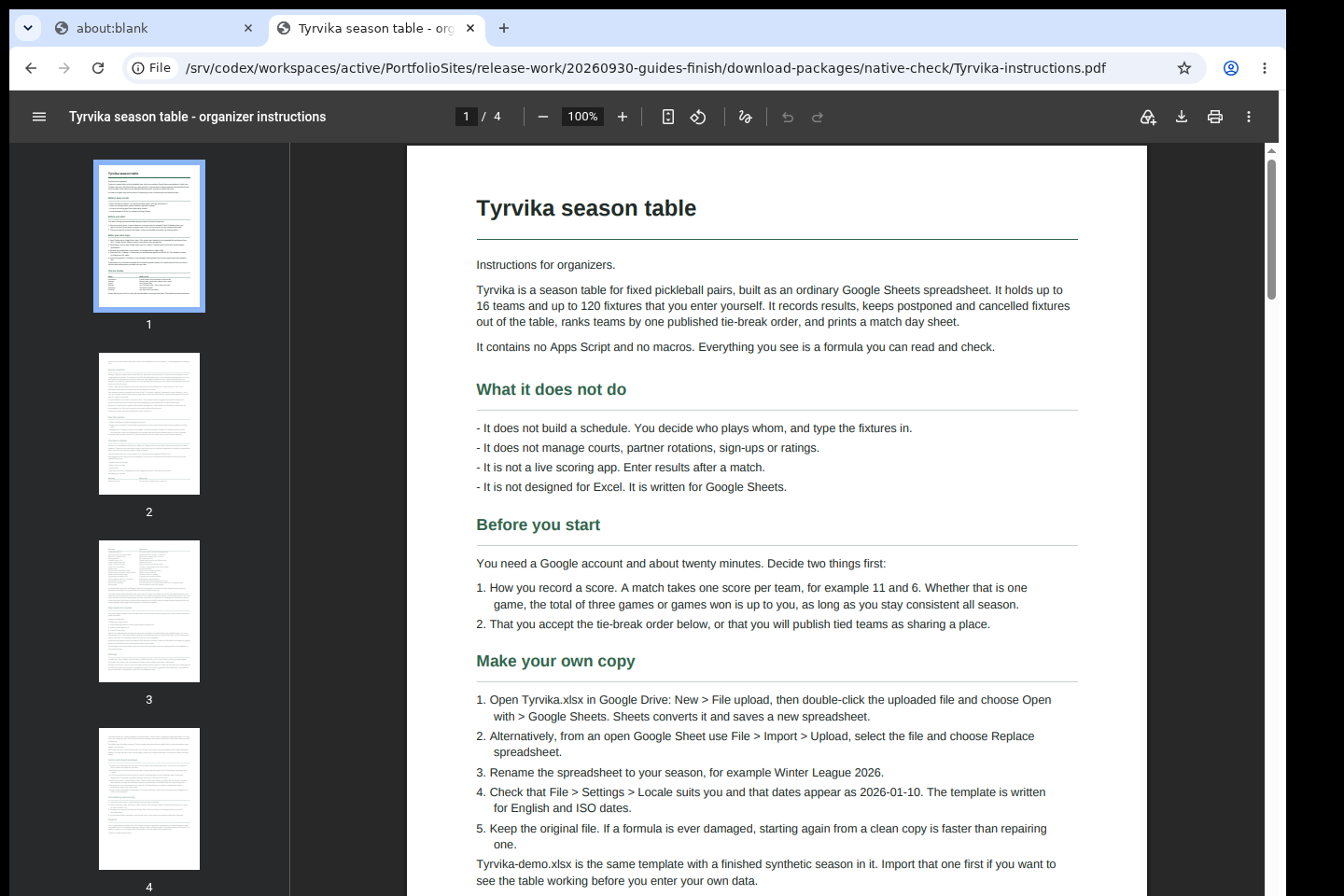
- A Google account and Google Sheets in a web browser. The .xlsx files are only the way the template travels; Excel is not a supported target.
- Your list of teams and fixtures. Tyrvika does not create a schedule for you.
- The purchased tyrvika-0.1.1-guide-bundle.zip download. It contains program/tyrvika-preview-20260929.zip; the program itself is unchanged from the earlier release.
Extract the bundle, then the original program ZIP in program/. Import app/Tyrvika.xlsx into Google Sheets; keep a blank master and use app/Tyrvika-demo.xlsx for a fictional example.
Compatibility & limits
Up to 16 teams and 120 pre-entered fixtures. No schedule generator, macros or Apps Script. Google Sheets formula calculations checked; GUI editing, physical printing and organizer acceptance unverified.
Get Tyrvika
Perpetual use of the purchased version on your devices for personal or internal commercial work. Keep reasonable backups and modify your own copy; do not redistribute or resell original proprietary code. Third-party licenses and any existing preview permissions retain their rights.
Before payment, save the private recovery code shown by checkout. After Paddle confirms payment, use it to download your ZIP or return for it later. No subscription, future update or email delivery is promised. See the illustrated steps.
$9 USD · once
Buy download