Local download
VidrRegister
Build a drawing issue register and transmittal from text-layer PDF sets, on your computer.
You issue sets of drawing PDFs (exported from CAD with real text) and want a register of which sheet went out at which revision, plus a transmittal for each issue, without retyping title blocks.
$29 USD · one-time purchase
Continue to checkoutStep-by-step guide
No subscription. Final total and tax appear at checkout.
What it helps you do
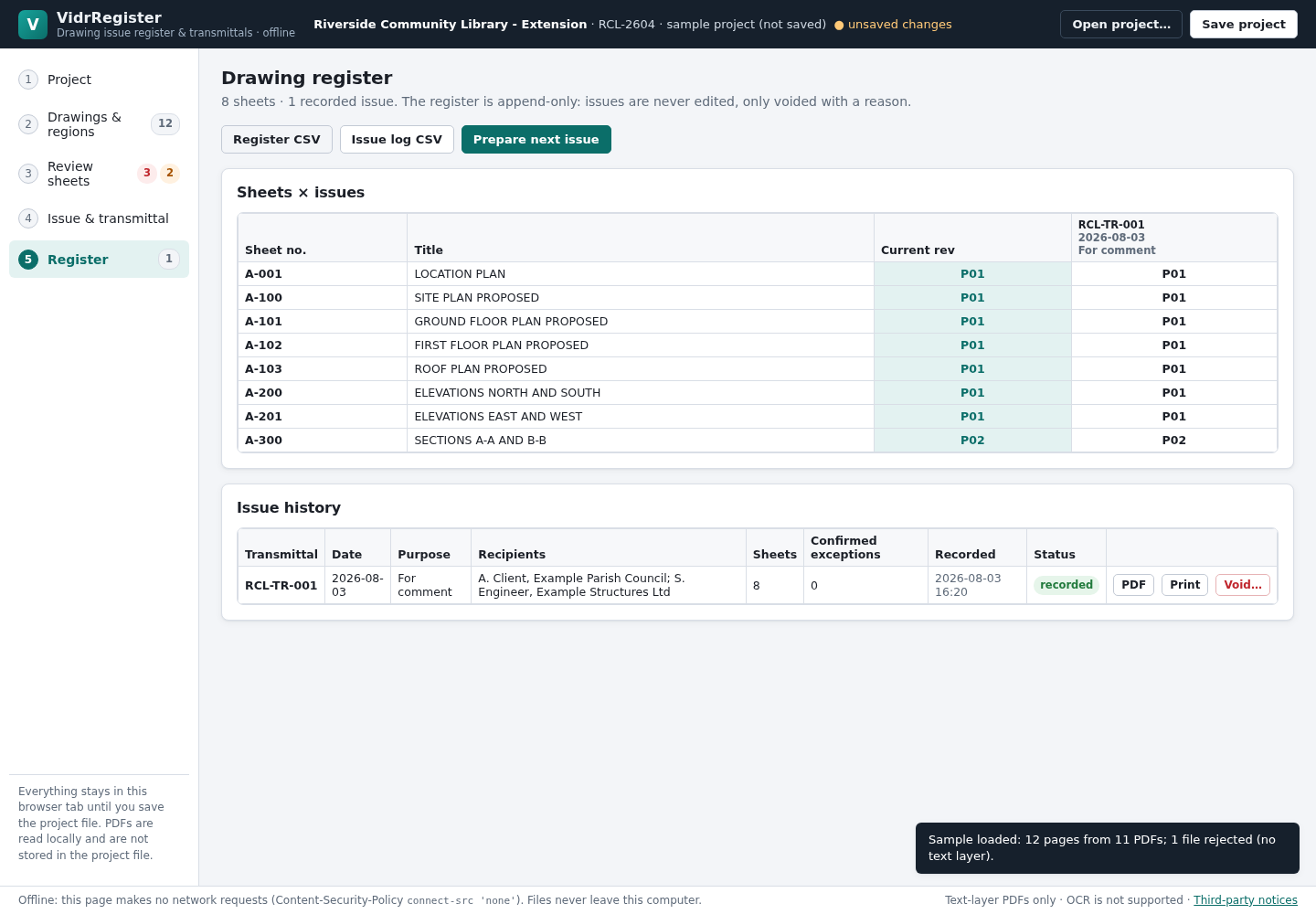
Map title-block regions, review sheet numbers and revisions, record issues, then export a CSV register and PDF or printable transmittal.
What is in your download
- The complete tool for the workflow described here.
- Installation instructions and included license notices.
A practical example
First issue of a three-sheet fictional project
Start with
examples/vidr-register/: three fictional A3 drawings with a text-layer title block (HB-100_Site-Plan_RevP01.pdf, HB-101_Ground-Floor-Plan_RevP01.pdf, HB-201_Elevations_RevP01.pdf) and harbour-boathouse-project.json, a project file whose A3 title-block regions are already marked (project HB-26, prefix HB-TR-, two recipients, draft issue HB-TR-001 For comment).
Get this result
Drawings: 3 accepted, each read as A3 with its sheet number (HB-100, HB-101, HB-201), title, revision P01, date 12.10.2026 and status PRELIMINARY. Review: 3/3 sheets included, 0 errors, 0 decisions, 0 warnings. The dialog asks “Record HB-TR-001?”. The register lists the three sheets at P01 under HB-TR-001. Downloads: HB-26_drawing-register_<today>.csv (Sheet number, Title, Current revision, one column per issue), HB-26_HB-TR-001.pdf (the transmittal) and HB-26.vidrregister.json (the project file).
Download guide & practice files (ZIP)
Examples use fictional or synthetic data. Follow this example step by step.
How it works
Buy, download and open
Buy from /store/vidr-register/ and download vidr-register-0.1.0.zip from the checkout page. Extract it and open vidr-register/index.html in Chrome (double-click, or drag it onto a Chrome window). The samples folder contains a fictional project and drawings; “Load sample project” on the Project step shows a full example with deliberate problems.
1 Project
Click “New project” and fill in Project name, Project number, Client, “Issuing organisation (your practice)”, Default “issued by” and the “Transmittal number prefix” (numbers continue as prefix + 001, 002 …). Choose the revision Sequence your office uses (letters, numbers, P-series then C-series, or a custom order) and add recipients with “Add recipient”.
2 Drawings & regions
Click “Choose PDF files…” and select the drawings for this issue. Files without a text layer are listed as Rejected with the reason. On the first page of each paper size, pick a field (Sheet no., Title, Rev, Date, Status) and drag a box around the value only, not its label; text whose centre falls inside the box is read. The table below shows what was read from the page. Every page of the same size is then read the same way. Click “Continue to review →”.
Before you buy
- Desktop Google Chrome and a mouse or trackpad (marking title-block regions needs a pointer).
- Drawing PDFs with a text layer. Scans and PDFs whose text was exported as outlines cannot be read (there is no OCR).
- Somewhere to keep the project file between issues: your work is saved only when you click Save project.
Extract the ZIP and open index.html in desktop Google Chrome. No server or account is required.
Compatibility & limits
Chrome 152 on Linux and synthetic drawing PDFs were tested. Scans and outlined text need manual entry; there is no OCR, CAD import, XLSX, email, or cloud sync. PDF transmittals replace characters outside Helvetica/WinAnsi and report them. Check real drawing outputs before issue.
Get VidrRegister
Perpetual use of the purchased version on your devices for personal or internal commercial work. Keep reasonable backups and modify your own copy; do not redistribute or resell original proprietary code. Third-party licenses and any existing preview permissions retain their rights.
Before payment, save the private recovery code shown by checkout. After Paddle confirms payment, use it to download your ZIP or return for it later. No subscription, future update or email delivery is promised. See the illustrated steps.
$29 USD · once
Buy download