VolosTally · Offline lesson statements 1.0.1 · Chrome on Linux
Turn a lesson calendar into a statement each family can follow.
Review exported calendar entries, apply your lesson rates and cancellation rules, and prepare monthly family statements with makeup-credit and package balances.
Use this when you teach privately, keep lessons in a calendar, and want to explain a month’s calculated lesson charges by family. Bring an exported ICS calendar and a student roster; review the original calendar and your own policies before relying on a total.
$19 USD · one-time purchase
Continue to checkoutStep-by-step guide
No subscription. Final total and tax appear at checkout.
Check a complete example before buying
The free pack contains practice inputs, expected-results text and screenshots. It includes neither the application nor an exported month package. The paid app produces statements and ledgers for your own supported calendar.
- Explain each charge: Review dated lessons, cancellation decisions and totals grouped by family.
- Carry the balances: Track makeup credits and fixed-length lesson packages across adjacent months.
- Keep a portable record: Export printable HTML statements, ledger/summary CSVs and the next month’s balance file.
What it helps you do
For solo teachers and tutors who already keep a lesson calendar. Assign titles to students, choose your rules explicitly and review every dated charge before exporting. Siblings share a family statement.
What is in your download
- VolosTally 1.0.1 offline application and bundled statement font
- Illustrated English manual with actual application screens
- Fictional four-student Maple Street calendar and roster
- README, licence, font notices and file checksums
A practical example
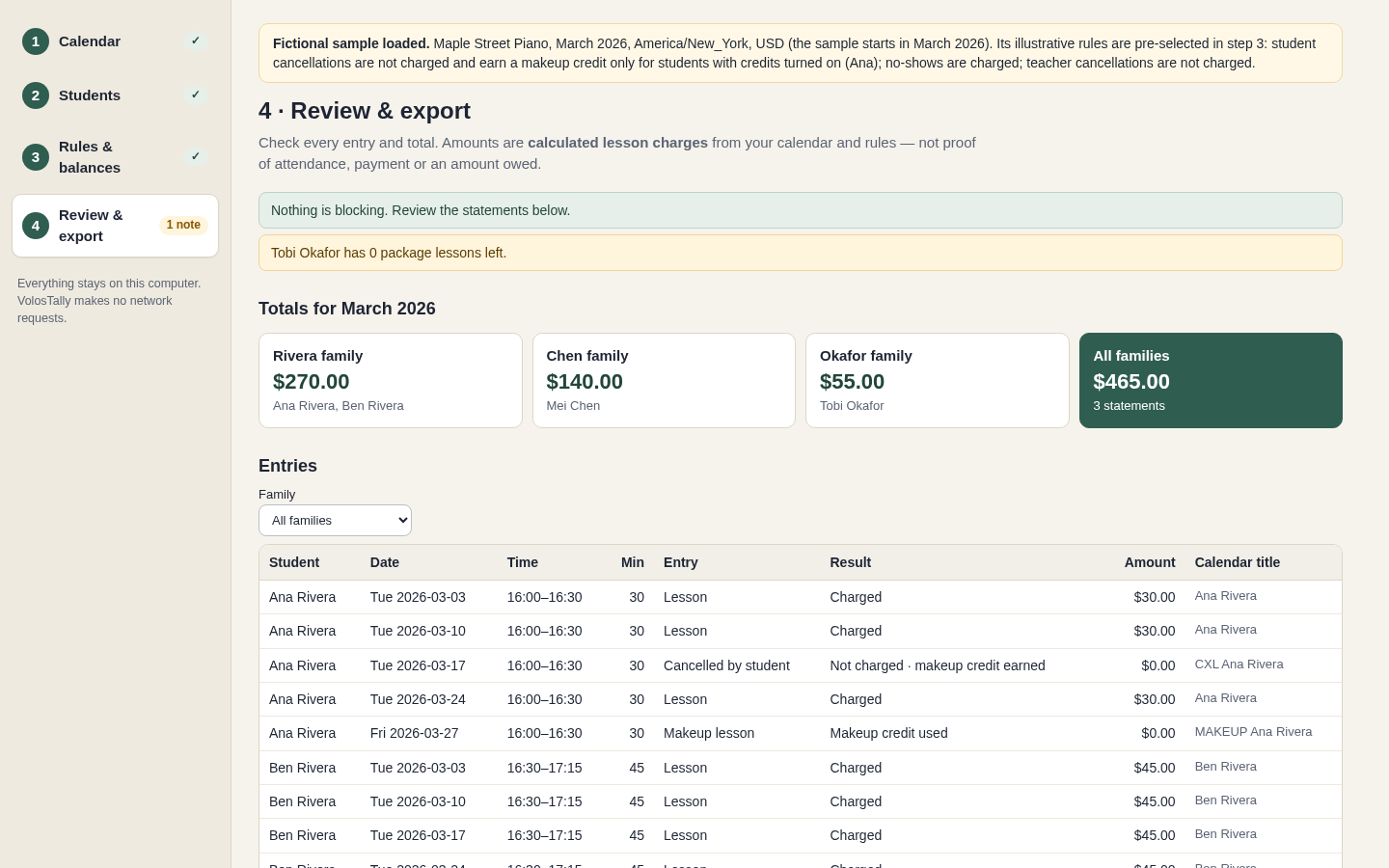
Maple Street: $465 in March, $640 in April
Start with
Fictional four-student roster and calendar in America/New_York. Ana: $30 per lesson with credits; Ben: $60/hour; Mei: $140 monthly fee; Tobi: $55 per lesson with three opening package lessons.
Get this result
March: Ana $90 and Ben $180 make Rivera $270; Chen $140; Okafor $55 after three package lessons, total $465. April: Rivera $225, Chen $140, Okafor $275, total $640. Ana has one unused credit at April’s close. Ben’s moved lesson belongs to May, not April.
Free fictional ICS/CSV, expected-results text and illustrated manual (no app or exported month ZIP)
Examples use fictional or synthetic data. Follow this example step by step.
From calendar entries to a readable family statement
Actual VolosTally screens in Chrome on Linux using the invented Maple Street Piano sample.
Confirm who each lesson belongs to
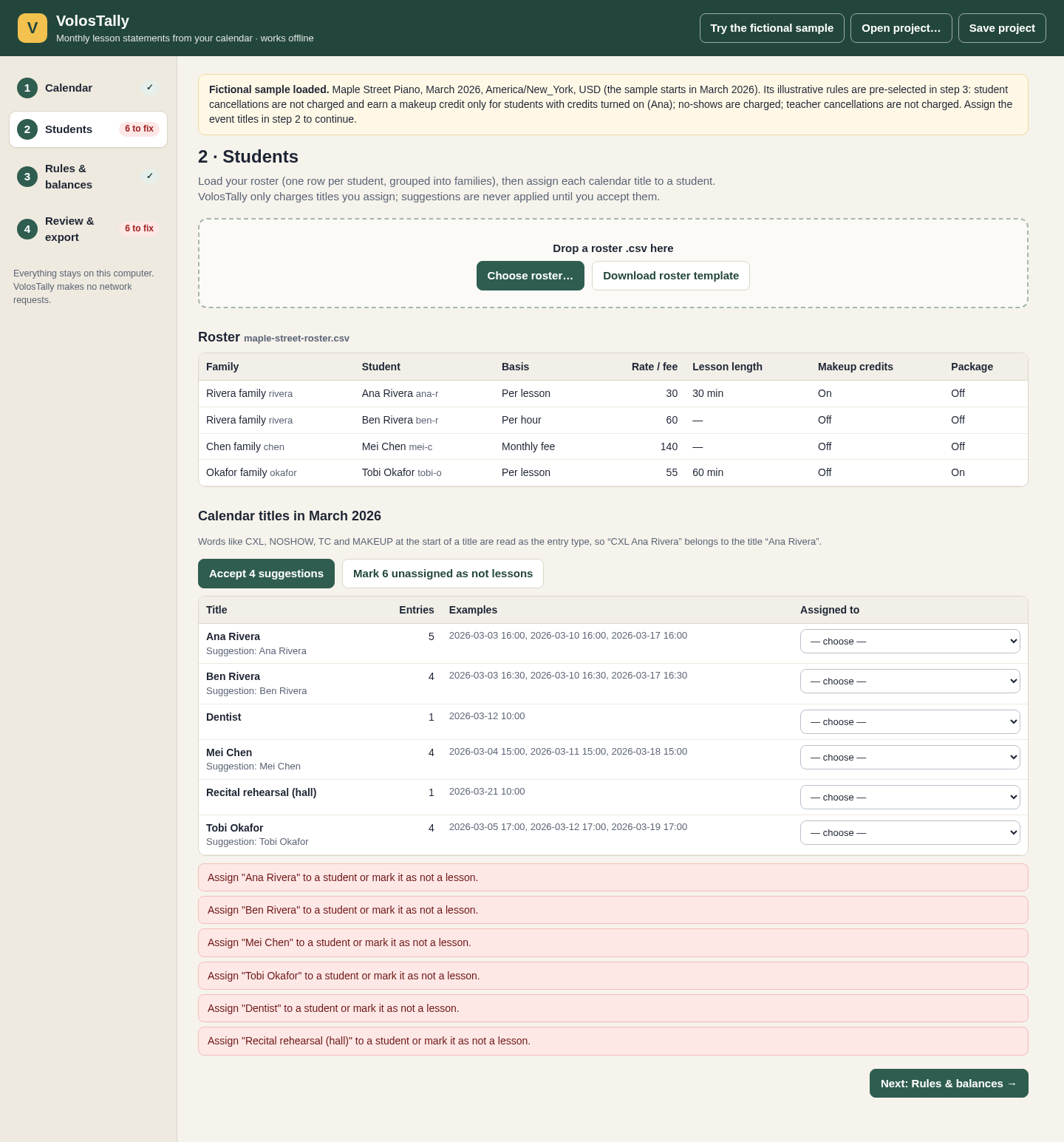
A calendar title is assigned to one student or explicitly marked as not a lesson. View full size Choose the rules you actually use
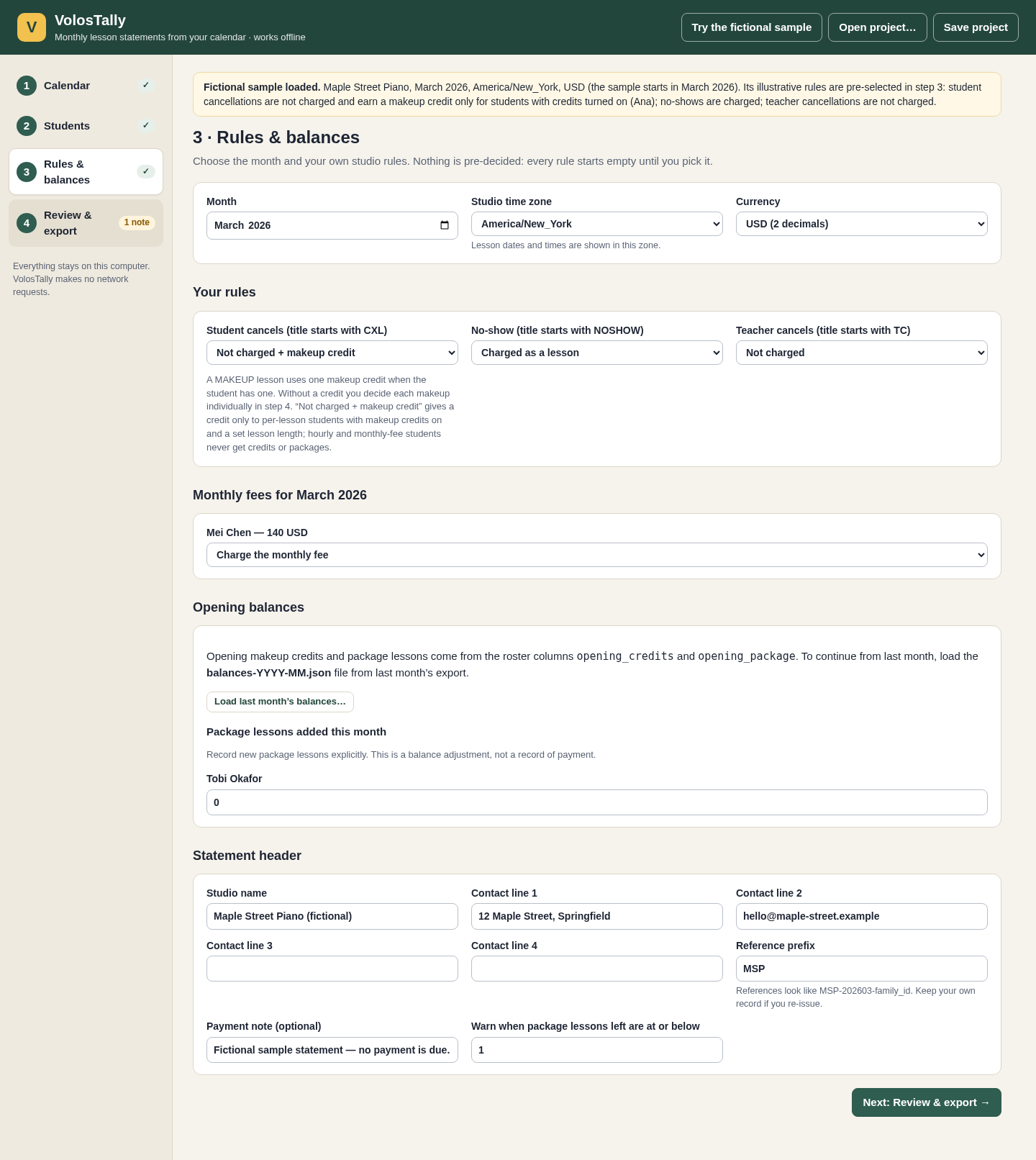
For your own work, policy choices begin unselected. The sample uses stated illustrative rules. View full size Read each dated lesson
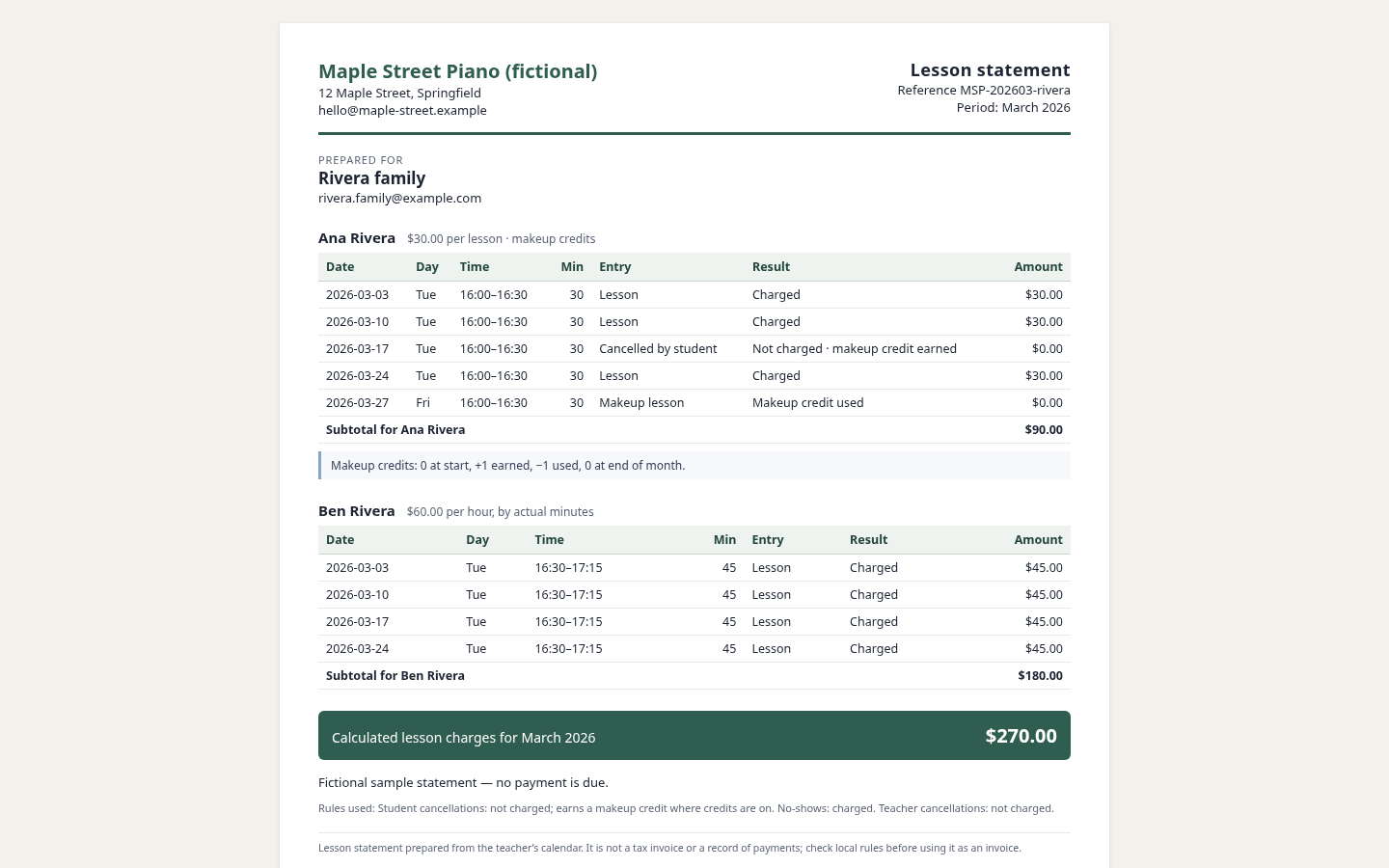
The exported HTML can be printed or saved as PDF from Chrome. View full size
How it works
Load and assign
Add the calendar and roster, then confirm each title’s student or mark it as not a lesson.
Choose the month and rules
Set time zone, currency, cancellation policy, monthly fees and opening balances.
Review and export
Resolve blocking items, check every family total, approve the calculation and download the month package.
Before you buy
- Desktop Chrome on Linux; Chrome 152 was verified. Other browsers and operating systems are untested.
- Extract the complete buyer ZIP and open app/index.html. Keep the accompanying files together. The application runs offline.
- A supported UTF-8 ICS calendar and a CSV roster with stable family/student IDs, rates and any opening balances. Start with the fictional example to learn the workflow.
Extract VolosTally-1.0.1.zip and open app/index.html in desktop Chrome on Linux. Keep the extracted files together. Try the fictional sample before loading your own calendar and roster; no account or connection is required.
Compatibility & limits
Tested in Chrome 152 on Linux. Reads a bounded subset of ICS recurrence; real Google, Apple and Outlook exports are unverified. Up to 50 calendar files, 20 MB expanded data, 5,000 monthly entries and 200 students. Credits/packages require fixed-length per-lesson students. Unsupported statement characters block export. PDF via Chrome Print; physical printing untested. Calculated lesson charges, not attendance/payment evidence, an amount owed or a tax invoice.
Get VolosTally
Perpetual use of the purchased version on your devices for personal or internal commercial work. Keep reasonable backups and modify your own copy; do not redistribute or resell original proprietary code. Third-party licenses and any existing preview permissions retain their rights.
Before payment, save the private recovery code shown by checkout. After Paddle confirms payment, use it to download your ZIP or return for it later. No subscription, future update or email delivery is promised. See the illustrated steps.
$19 USD · once
Buy download