Tool + guide bundle
YmirCage
Fit a lattice to meshes without applying their geometry.
You want to bend, taper or squash one mesh, or a few independent meshes, with a lattice, and you want the lattice sized to the selection in one click and removed cleanly later.
$9 USD · one-time purchase
Continue to checkoutStep-by-step guide
No subscription. Final total and tax appear at checkout.
What it helps you do
Create and fit an editable lattice around selected meshes without applying their modifiers or mesh geometry.
What is in your download
- The original tool ZIP, preserved inside the download bundle.
- Installation and first-result instructions.
- A worked example and the included license notices.
A practical example
Cage Blender's monkey head
Start with
Blender's built-in test mesh: Add › Mesh › Monkey (named Suzanne) in a new General file. No file to download.
Get this result
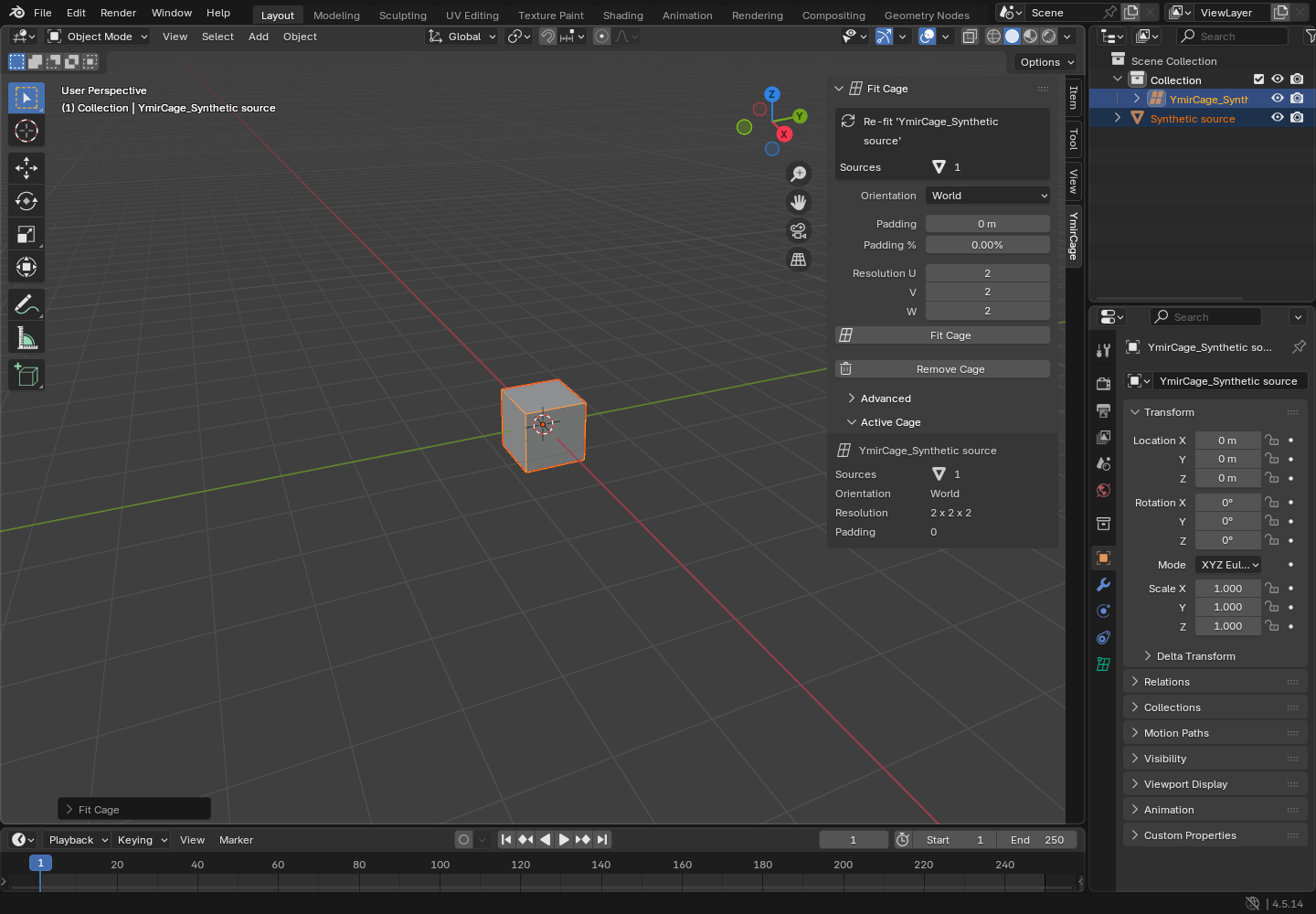
Fit Cage reports “created 'YmirCage_Suzanne' for 1 object(s)”. A 2 × 2 × 2 lattice exactly the size of Suzanne's bounding box (2.734 × 1.703 × 1.969 m) appears, and Suzanne's modifier list shows one Lattice modifier using YmirCage_Suzanne. Moving a corner point bends the head. Remove Cage reports that it removed 1 cage and 1 modifier; Suzanne is left with no modifier and its mesh was never applied or edited.
Download guide & practice files (ZIP)
Examples use fictional or synthetic data. Follow this example step by step.
How it works
Download and extract your bundle
Buy the YmirCage bundle at /store/ymircage/ and extract ymircage-0.1.1-guide-bundle.zip. Keep program/ymircage-0.1.0.zip zipped: Blender installs that inner ZIP. Open GUIDE.html for this manual and PRACTICE.txt for the worked exercise.
Install it in Blender
In Blender 4.5 open Edit › Preferences › Get Extensions, click the ⌄ menu at the top right, choose Install from Disk… and select ymircage-0.1.0.zip. You can also drag the ZIP into the Blender window.
Open the YmirCage tab
In the 3D Viewport press N and click the YmirCage tab. The same commands are also in the Object › YmirCage menu.
Before you buy
- Blender 4.5 LTS (any 4.5.x). Other Blender versions are outside its supported range.
- Object Mode, with one mesh or a few independent meshes selected.
- Checked on Linux with Blender 4.5.14. Windows and macOS have not been checked yet.
- The purchased ymircage-0.1.1-guide-bundle.zip download. It contains program/ymircage-0.1.0.zip; the program itself is unchanged from the earlier release.
In Blender 4.5 LTS, install the inner ymircage-0.1.0.zip via Edit > Preferences > Get Extensions > Install from Disk. In Object Mode, select a mesh, open the N-panel YmirCage tab, choose settings and Fit Cage.
Compatibility & limits
Blender 4.5 LTS only; small groups of independent meshes. Does not apply modifiers. Linux Blender 4.5.14 GUI checked; macOS, Windows and real artist acceptance unverified.
Get YmirCage
This bundle includes GPL software. Your rights to use, study, modify and redistribute that software remain unchanged under the included GPL license. The purchase is for this prepared distribution and guide bundle.
Before payment, save the private recovery code shown by checkout. After Paddle confirms payment, use it to download your ZIP or return for it later. No subscription, future update or email delivery is promised. See the illustrated steps.
$9 USD · once
Buy download