Freyara
Plan a kaleidocycle bead pattern
Design triangular peyote kaleidocycle bead charts.
See it in use
Export the bundled bead-pattern sample
A screenshot walkthrough with fictional practice data. Select a step to explore.
1. Start with
Export the bundled bead-pattern sample
Use Freyara’s built-in fictional meadow-ring sample.
Sample files and contents
No file needed: Freyara's built-in Sample. To try re-opening a saved project, use examples/freyara/fictional-meadow-ring.freyara.json.
Practice files and guides are free. The complete app is included only where the product page says so.
2. In the app
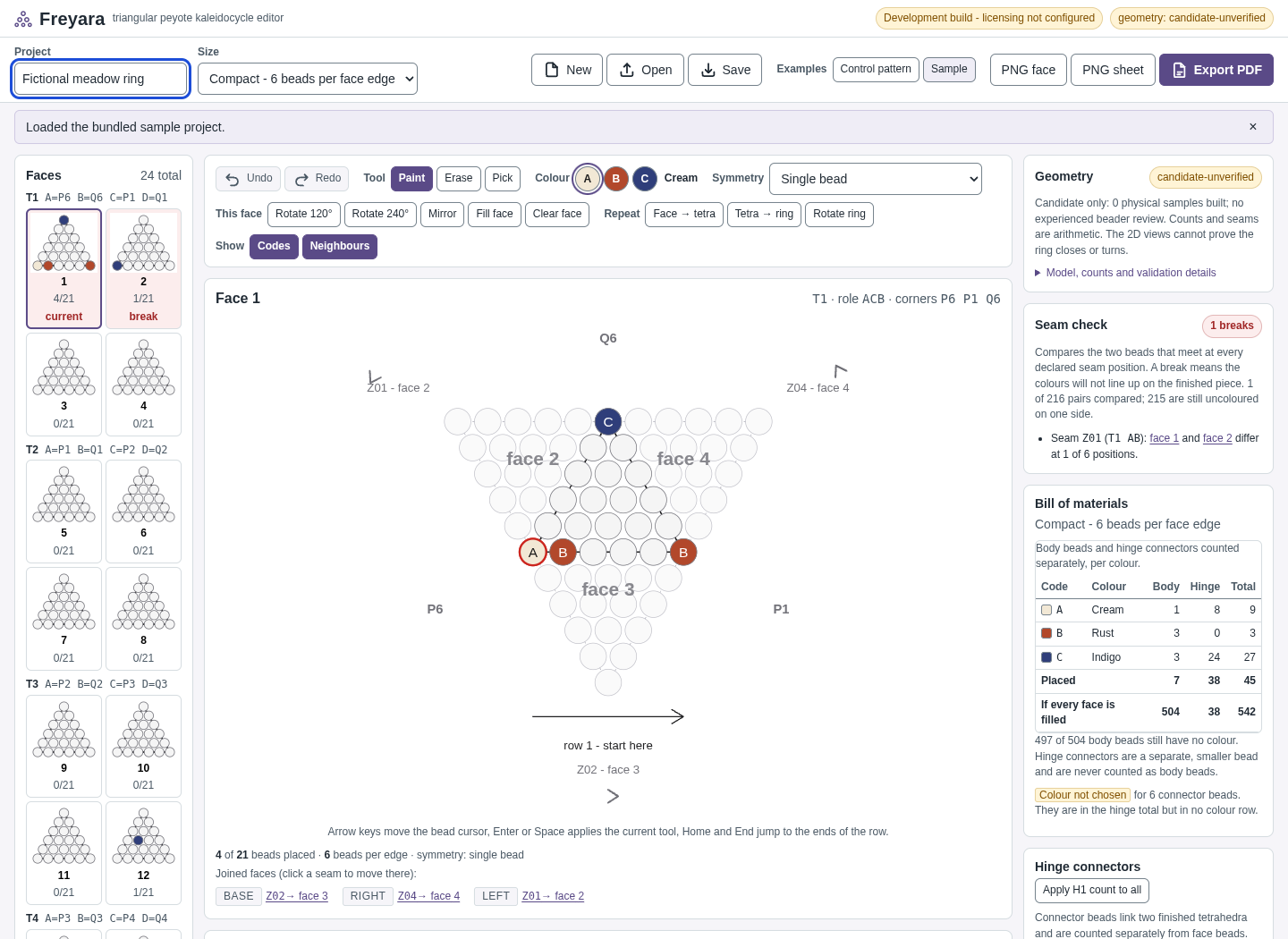
Try it in three steps
- Load Sample and name the project.
- Review the bead placement and project state.
- Export the PDF and save the editable project.
Show every click and setting
- Open https://perunlight.com/apps/freyara/ and click Sample.
- Type Fictional meadow ring in the Project box.
- Click Export PDF.
- Click Save.
- Optional: in a new tab, open Freyara, click Open and choose fictional-meadow-ring.freyara.json.
3. The result
Inspect the result
The development preview exports a 13-page sample PDF. Physical assembly and geometry remain unverified.
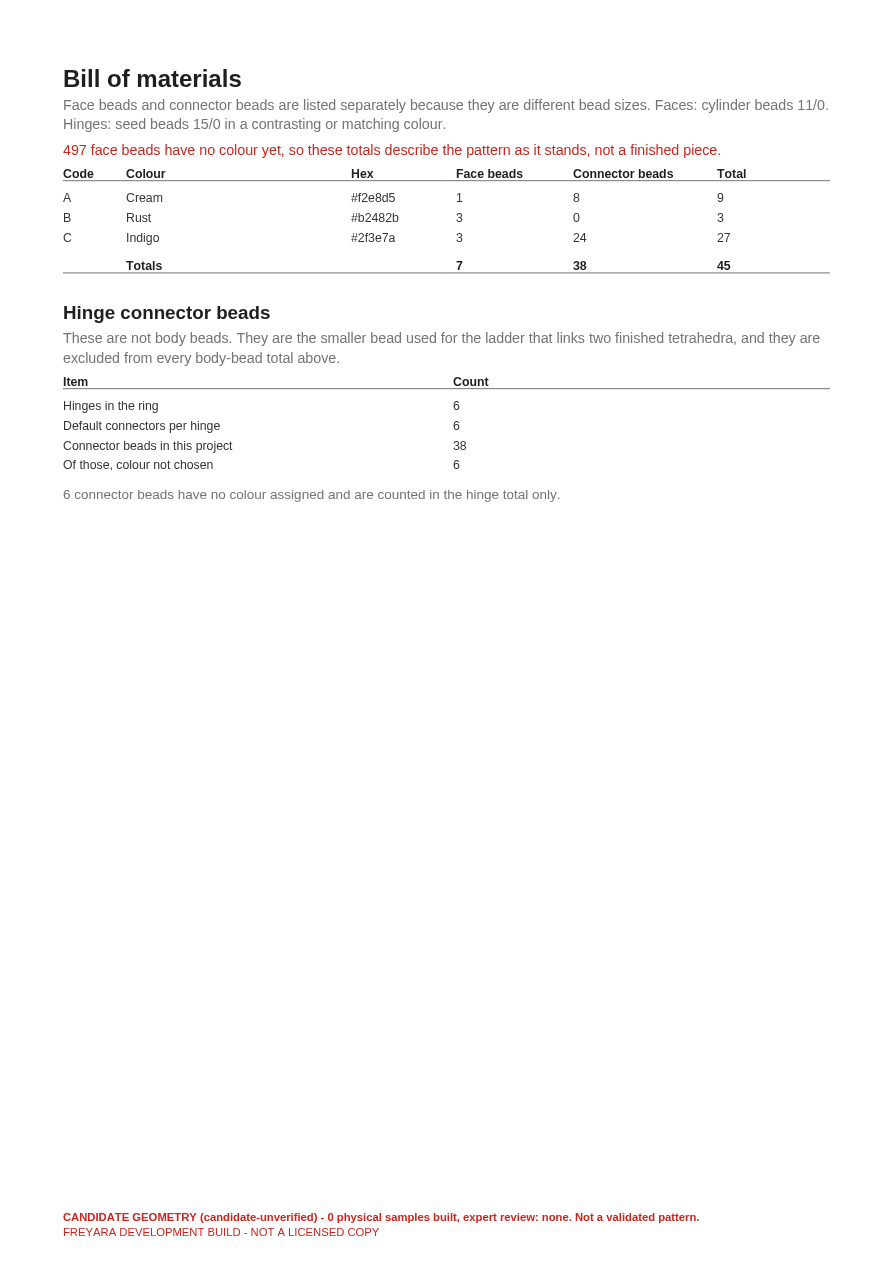
What to check in the practice result
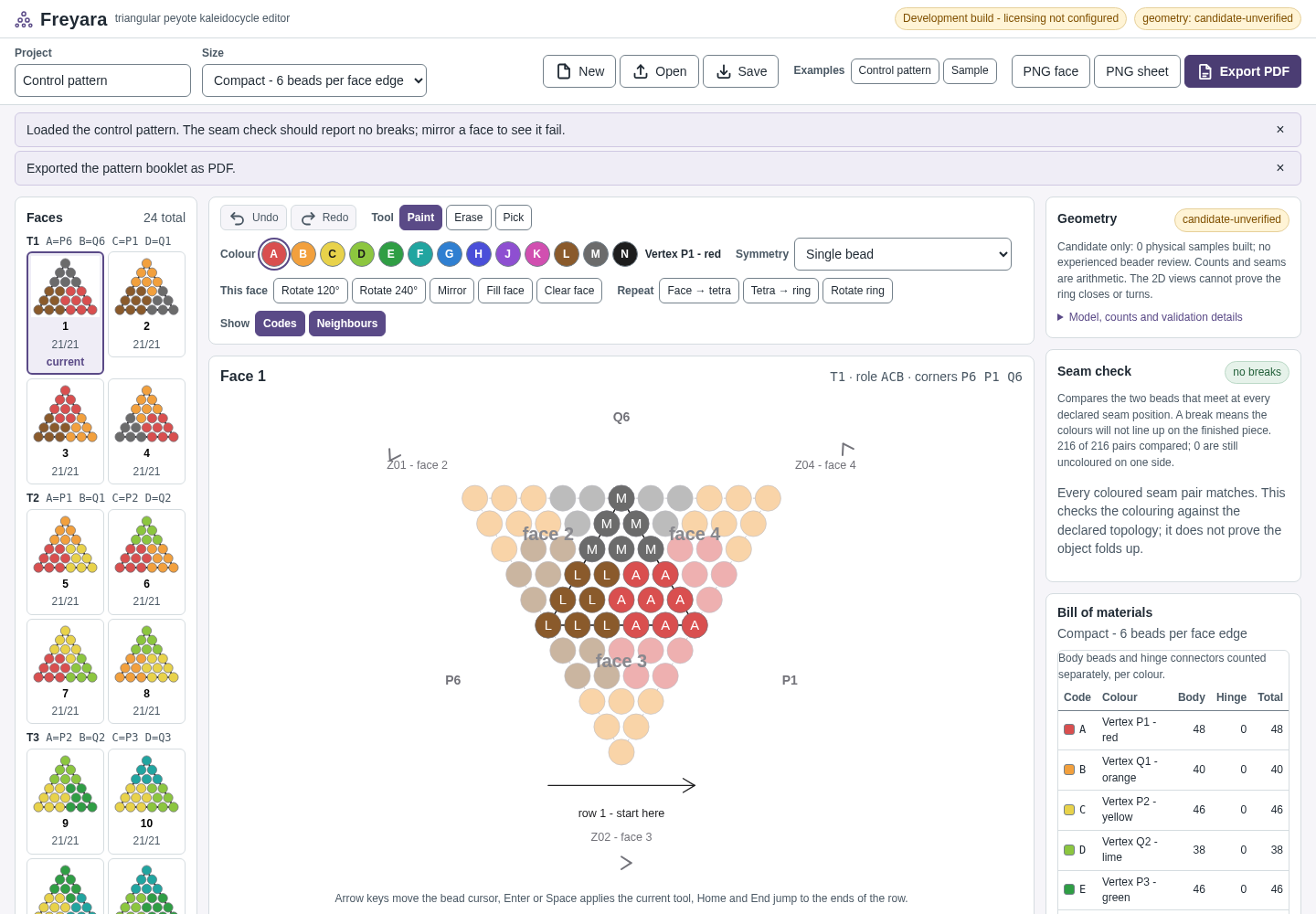
The status reads “Loaded the bundled sample project.” and face 1 shows 4 of 21 beads placed. Export PDF downloads fictional-meadow-ring.pdf, a 13-page booklet in our test. Save downloads fictional-meadow-ring.freyara.json with the message “Project file saved to your downloads.” Opening that file brings back the same pattern and name (“Opened fictional-meadow-ring.freyara.json.”).
The screen and PDF use the same bundled sample in the development preview. The PDF demonstrates the export format; it does not validate physical assembly or production readiness.
What you can expect
Pattern editing and PDF export verified in Chromium.
Keep in mind
Experimental triangular peyote geometry. No physical ring has been assembled from this release; validate a small sample before purchasing beads.
From input to output
Start a sample pattern and choose its colours.
Edit the bead chart and review the assembly notes.
Export a PDF and validate the construction with a small sample.
Open the workspace
Files are selected and processed in your browser. No file upload service or account is used. Browser storage may retain your project on this device; use the tool’s reset controls before sharing a device.
Free preview. License information · Privacy
A practical example
Turn the bundled sample into a pattern booklet
Start with
No file needed: Freyara's built-in Sample. To try re-opening a saved project, use examples/freyara/fictional-meadow-ring.freyara.json.
Get this result
The status reads “Loaded the bundled sample project.” and face 1 shows 4 of 21 beads placed. Export PDF downloads fictional-meadow-ring.pdf, a 13-page booklet in our test. Save downloads fictional-meadow-ring.freyara.json with the message “Project file saved to your downloads.” Opening that file brings back the same pattern and name (“Opened fictional-meadow-ring.freyara.json.”).
Download guide & practice files (ZIP)
Examples use fictional or synthetic data. Follow this example step by step.