BellSteps · Local browser tool 1.0.1 · Chrome on Linux
One warm-up. A clear cue for every player.
Compose a short original handbell exercise, assign each bell to a player and hand, then export matching charts and practice audio.
$0.99 USD · one-time purchase
Local browser app · opening steps
Extract the complete buyer ZIP and open index.html in desktop Google Chrome on Linux. The original Crossing Lanterns exercise opens immediately. No account, server or network connection is required.
Download: ZIP with the described tool and instructions. Check compatibility & limits.
See it in useBuy download — $0.99
No subscription. Final total and tax appear at checkout.
Try the original example before buying
The free pack contains an original six-player exercise and static rehearsal outputs. The paid ZIP adds the editor for your own exercises and assignments.
- Write a short original exercise: Work with sounding pitches and clear eighth-note beat positions.
- Keep each player's cues together: Assign a bell once and regenerate the corresponding charts.
- Share a matching rehearsal pack: Export print pages, a note ledger and synthetic practice files.
See it in use
Build a six-player handbell cue pack
A screenshot walkthrough with fictional practice data. Select a step to explore.
1. Start with
Build a six-player handbell cue pack
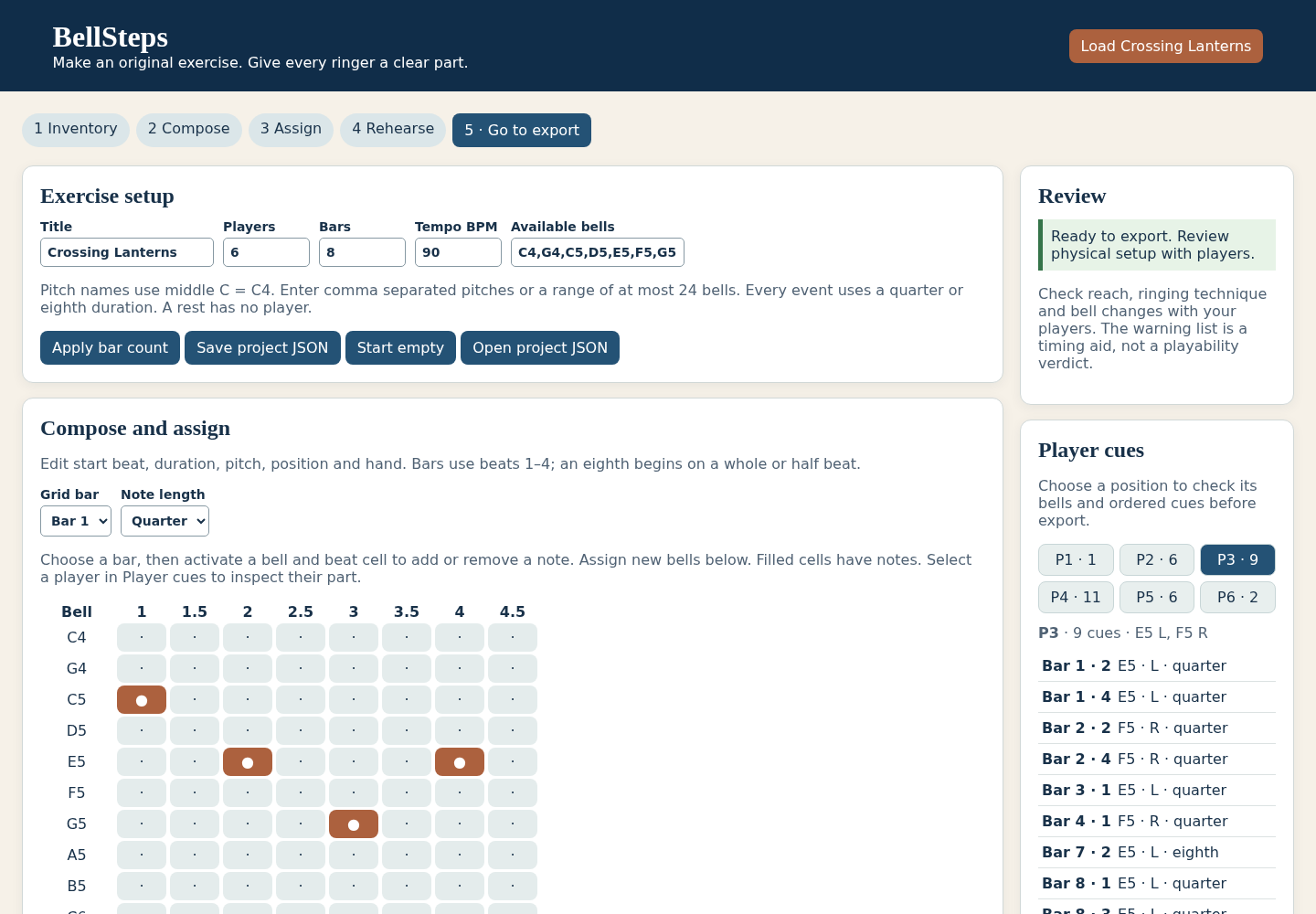
Crossing Lanterns: eight bars and 35 notes at 90 BPM.
Sample files and contents
Eight bars, six players and 35 note onsets at 90 BPM, including eighth notes and two three-note chords.
Practice files and guides are free. The complete app is included only where the product page says so.
2. In the app
Try it in three steps
- Review each player’s assigned bells and cue counts.
- Listen to bar one, then move G5 from P4 left to P1 left.
- Regenerate cues and compare 90 BPM with a 60 BPM export.
Show every click and setting
- Read the initial player onset counts: 1, 6, 9, 11, 6 and 2.
- Listen to C5, E5, G5 and E5 on the four beats of bar 1.
- Move G5 from P4 left to P1’s unused left hand and regenerate the cues.
- Export again at 60 BPM to compare the longer practice duration.
3. The result
Inspect the result
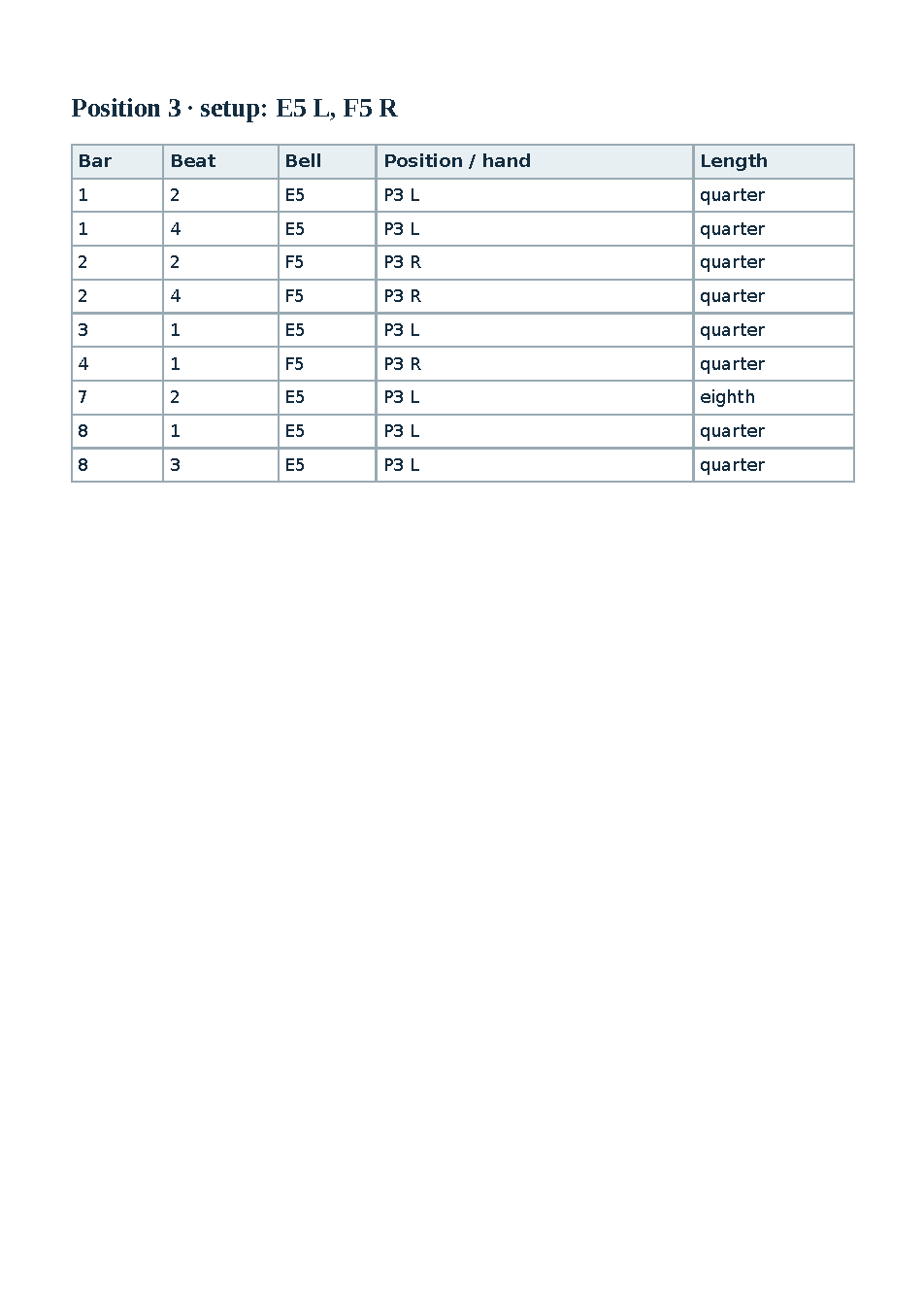
The printed Crossing Lanterns pack shows P3’s nine cues. The practice guide lasts 24 seconds at 90 BPM and 36 seconds at 60 BPM.
What to check in the practice result
The original 90 BPM guide lasts 24 seconds including its four-beat count-in; at 60 BPM it lasts 36 seconds. Moving G5 changes the player counts to 8, 6, 9, 4, 6 and 2 while retaining the same pitches and timing.
The working example and saved result use the same fictional practice data. Open the output file to inspect the complete result.
What it helps you do
For directors writing original 4/4 warm-ups for four to twelve numbered players. Edit sounding pitches on a beat grid, keep fixed bell assignments and review each player's cues.
What is in your download
- Offline original-exercise editor
- Fixed bell-to-player and hand assignments
- Ensemble and selected-player listening
- Printable HTML pack, SVG charts/cards and CSV ledger
- Editable project JSON, practice MIDI and synthetic PCM WAV
- Original Crossing Lanterns example and illustrated English manual
Before you buy
- Desktop Google Chrome on Linux is the tested environment.
- Extract the complete buyer ZIP and open index.html in desktop Google Chrome on Linux. The original Crossing Lanterns exercise opens immediately. No account, server or network connection is required.
- Four to twelve players, at most one bell per hand and 24 unique sounding pitches from C4 to C7. These are scientific pitch labels and beat charts, not engraved handbell staff notation.
Compatibility & limits
Four to twelve players, at most one bell per hand and 24 unique sounding pitches from C4 to C7. These are scientific pitch labels and beat charts, not engraved handbell staff notation. One to sixteen bars of 4/4, eighth or quarter durations, 60–180 integer BPM and at most 512 events. Project JSON imports are limited to 250 KB. No score import, tuplets, dynamics or hand-swap planning. Audio is a synthetic pitch and timing guide, with a four-beat count-in. Physical reach, technique, realistic bell timbre and rehearsal suitability are unverified. PDFs are created using Chrome's print dialog from the exported HTML. Check page breaks and your printer settings before handing out the charts. Tested from the exact 1.0.1 buyer ZIP in Google Chrome 152.0.7977.82 on Linux with synthetic exercises. Save project JSON before closing; other browsers and operating systems are unverified.
Get BellSteps
Perpetual use of the purchased version on your devices for personal or internal commercial work. Keep reasonable backups and modify your own copy; do not redistribute or resell original proprietary code. Third-party licenses and any existing preview permissions retain their rights.
Before payment, save the private recovery code shown by checkout. After Paddle confirms payment, use it to download your ZIP or return for it later. No subscription, future update or email delivery is promised. See the illustrated steps.
$0.99 USD · once
Buy download — $0.99