Local download
EirDance
Plan a dance recital run order with quick-change checks, locally on your computer.
You organise a recital or showcase and need an order in which every dancer has enough time to change between routines, plus sheets for dancers and backstage helpers.
$29 USD · one-time purchase
Continue to checkoutStep-by-step guide
No subscription. Final total and tax appear at checkout.
What it helps you do
Import a roster CSV, set change-gap and show rules, review and adjust the order, then export run-order and change-sheet CSV or PDF.
What is in your download
- The complete tool for the workflow described here.
- Installation instructions and included license notices.
A practical example
A nine-routine fictional spring recital
Start with
examples/eir-dance/spring-recital-roster.csv: 9 fictional routines and 14 dancers (first names with an initial). The opening (R01) is fixed first and the finale (R09) fixed last; four company dancers appear in the opening, one middle routine and the finale.
Get this result
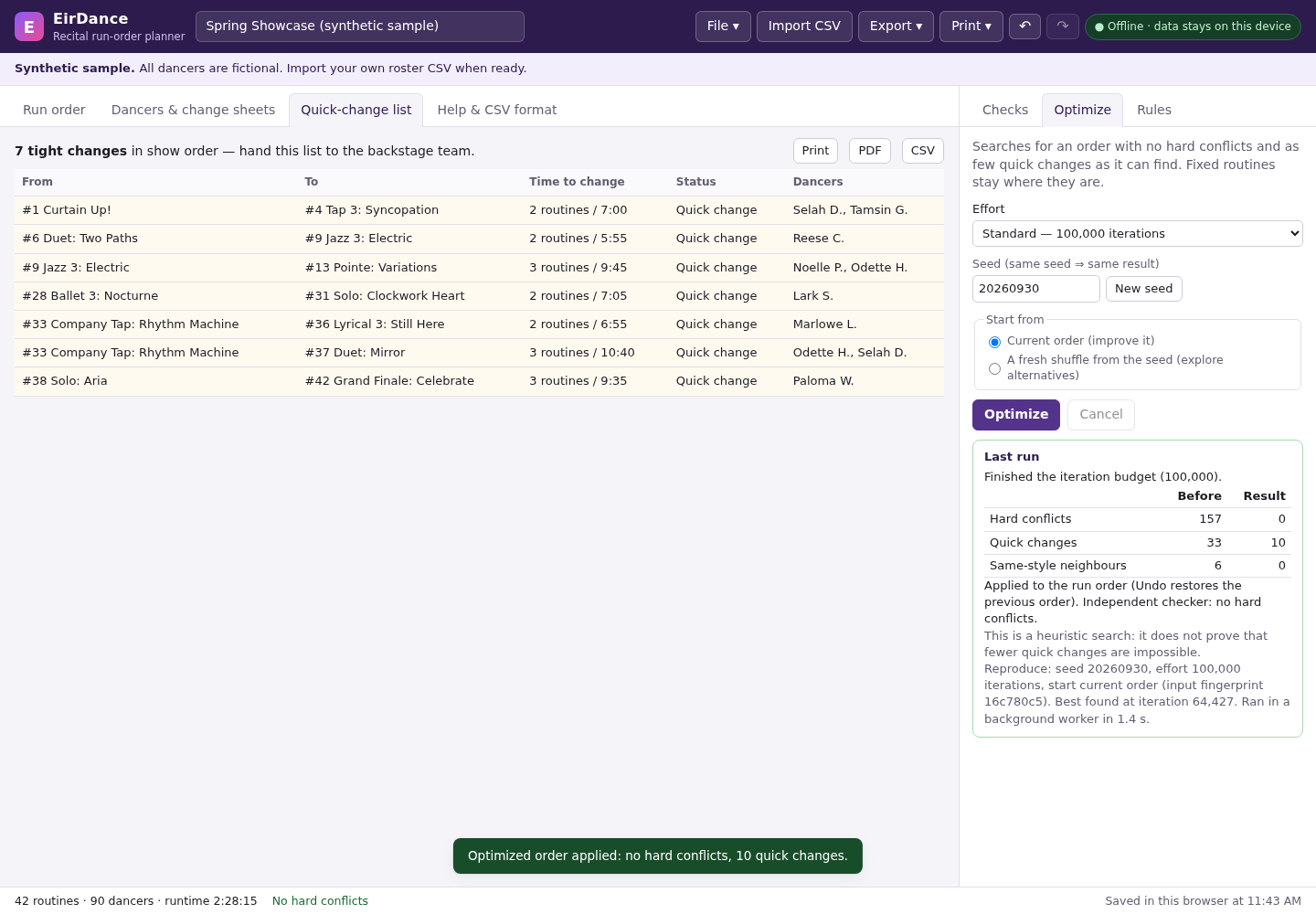
Before optimizing, Checks shows 8 hard conflicts (for example Opening: Sunrise straight into Tap Attack leaves Ava M. and Ben K. 0 routines / 0:30 to change; the rule needs 2 routines and 5:00). After Optimize the result table shows hard conflicts 8 → 0 and Checks says “No hard conflicts”, with some quick changes still flagged for backstage. The run order keeps Opening: Sunrise first and Finale: Together last, runtime 27:35 from 6:00 PM. Downloads: spring-recital-roster-run-order.csv (position, start time, routine, dancers, conflicts), spring-recital-roster-packet.pdf and spring-recital-roster.eirdance.json. Reopening the page restores the show from the browser.
Download guide & practice files (ZIP)
Examples use fictional or synthetic data. Follow this example step by step.
How it works
Buy, download and open
Buy from /store/eir-dance/ and download eir-dance-0.1.1.zip from the checkout page. Extract it and open eir-dance/eirdance.html in Chrome. “Try the synthetic sample” loads a fictional show if you want to explore first.
Prepare the roster
Use one row per routine with a Dancers column (names separated by ;), or one row per routine and dancer with a Dancer column. Recognised columns: ID, Title (or Routine), Class, Style, Duration (m:ss, or minutes like 3.5), Dancers/Dancer, Fixed (first, last, a position number, before intermission, after intermission), Part (1 = before the first intermission), Notes and Position. Comma, semicolon and tab separated files are detected automatically. The “Help & CSV format” tab shows the same rules.
Import
Click “Import roster CSV” (or File ▾ → “Import roster CSV…”), then “Choose a file”, or paste CSV text into the box. A preview lists the routines, dancers and which columns were used. Enter a “Show name” if you like and click the “Import … routines” button. Importing replaces the current routines; Undo (↶) goes back.
Before you buy
- Desktop Google Chrome.
- A roster CSV: one row per routine with columns such as ID, Title, Class, Style, Duration and Dancers (names separated by ;). “Download CSV template” gives you a starting file.
Extract the ZIP and open eirdance.html in desktop Google Chrome. Start with the fictional sample.
Compatibility & limits
Chrome 152 on Linux and synthetic rosters were tested. Real school rosters, other browsers and physical printing are unverified. The bounded optimizer does not guarantee a conflict-free order; review every conflict and exported sheet before a live show.
Get EirDance
Perpetual use of the purchased version on your devices for personal or internal commercial work. Keep reasonable backups and modify your own copy; do not redistribute or resell original proprietary code. Third-party licenses and any existing preview permissions retain their rights.
Before payment, save the private recovery code shown by checkout. After Paddle confirms payment, use it to download your ZIP or return for it later. No subscription, future update or email delivery is promised. See the illustrated steps.
$29 USD · once
Buy download